


Freshbet Mobile App Crashes on Launch
Freshbet Mobile App Crashes on Launch: A Troubleshooting Guide
Experiencing a mobile app crash the moment you try to open it is incredibly frustrating, especially when you’re looking forward to some gaming action. If the Freshbet app is crashing on launch, this practical, step-by-step guide will walk you through the most effective solutions to get you back in the game. We’ll cover everything from basic checks to more advanced troubleshooting.
Initial Quick Fixes and Basic Checks
Before diving into complex solutions, always start with these simple checks. First, ensure your device has a stable internet connection; switching from Wi-Fi to mobile data (or vice versa) can sometimes resolve the issue. Second, completely close the Freshbet app from your device’s recent apps menu and then relaunch it. A simple restart can clear temporary glitches. Finally, verify that your smartphone meets the minimum system requirements for the app, which are generally Android 8.0 or iOS 13.0 and above.
Updating the Freshbet App and Your Device OS
Running an outdated version of the app is a leading cause of crashes. Developers frequently release updates to fix bugs and improve compatibility. Visit the official App Store or Google Play Store, search for Freshbet casino, and see if an update is available. Similarly, an outdated device operating system can cause conflicts. Check your phone’s settings for any available system updates and install them. Keeping both your OS and the Freshbet app updated is crucial for stability.
Clearing the App’s Cache and Data
Corrupted cached data is a common culprit for app misbehavior. Clearing it forces the app to create fresh data upon the next launch. The process differs slightly between Android and iOS.
- Android: Go to Settings > Apps > Freshbet > Storage. Tap “Clear Cache” first. If the problem persists, tap “Clear Data” (note: this will log you out).
- iOS: Offloading the app (which clears cache but keeps documents/data) is the closest equivalent. Go to Settings > General > iPhone Storage > Freshbet > select “Offload App,” then reinstall it.
After clearing the cache, restart your device and try opening the app again.
Reinstalling the Freshbet Application
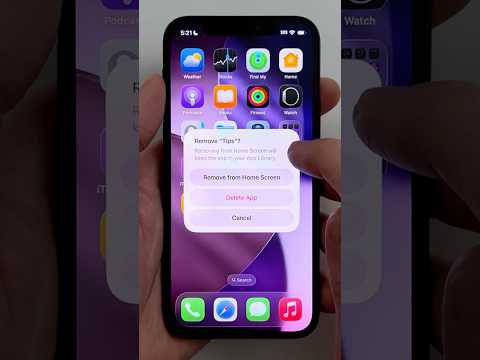
If updating and clearing cache didn’t work, a complete reinstall is the next logical step. This process ensures you have a clean, fresh installation without any corrupted files. First, uninstall the Freshbet app from your device. Then, restart your smartphone. Finally, go to the official app store—never a third-party website—to download and install the latest version of the Freshbet app. You will need to log in again with your credentials. This method often resolves persistent crashing issues.
When to Contact Freshbet Support
If you’ve tried all the above steps and the Freshbet mobile app continues to crash on launch, the issue might be on the operator’s end. There could be a server-side problem or a bug in the latest update that the development team needs to patch. This is the time to contact customer support. Be ready to provide them with details such as your device model, operating system version, and the exact steps you’ve already tried. You can reach out to the team at Freshbet for specialized assistance. While you’re there, you could also inquire about the current Freshbet bonus offers or if a Freshbet promo code is needed to claim them, ensuring you don’t miss out once the app is working.
Known Issues and Workarounds
Some problems are more widespread. For instance, certain phone models with specific chipsets might experience conflicts. A known workaround for some users is to disable battery optimization for the Freshbet app in your phone’s settings, as aggressive power-saving modes can interfere with app performance. Additionally, if a new update has just rolled out, it may contain a bug; rolling back to a previous APK version (on Android) or simply waiting for a hotfix are potential solutions. Keep an eye on community forums for any announcements from Freshbet regarding such issues.
| Symptom / Cause | Recommended Solution | Estimated Fix Time |
|---|---|---|
| App closes immediately after splash screen | Clear app cache and data, then reinstall | 5-10 minutes |
| App worked yesterday but not today | Check for and install any pending app or OS updates | 2-15 minutes |
| “Freshbet has stopped” error message | Restart device, then update the app | 3-5 minutes |
| App freezes on launch | Check internet connection, disable VPN if active | 2-3 minutes |
| No issues after reinstall but crashes later | Disable battery optimization for the Freshbet app | 3-5 minutes |
By following this structured guide, you should be able to resolve most issues causing the Freshbet mobile app to crash. Remember, most problems are fixed with an update or a reinstall. Once resolved, you can get back to enjoying your favorite games and even claim any available Freshbet no deposit offers or Freshbet free spins that were waiting for you.